
What's new in Penge
Every Penge release, newest first, in the same words that go out with the update.
- Version 1.23Latest
Charges you do not track yet
- Spot repeating charges you are not tracking yet. The overview and the subscriptions list now show patterns to review
- Give each tag a type: travel, shared or other. Tag statistics are grouped by type
- Smoother bank connection: clearer error messages, and if the first connection fails you can try another bank, add the account manually or import a file
- An improved typical month view, plus bug fixes
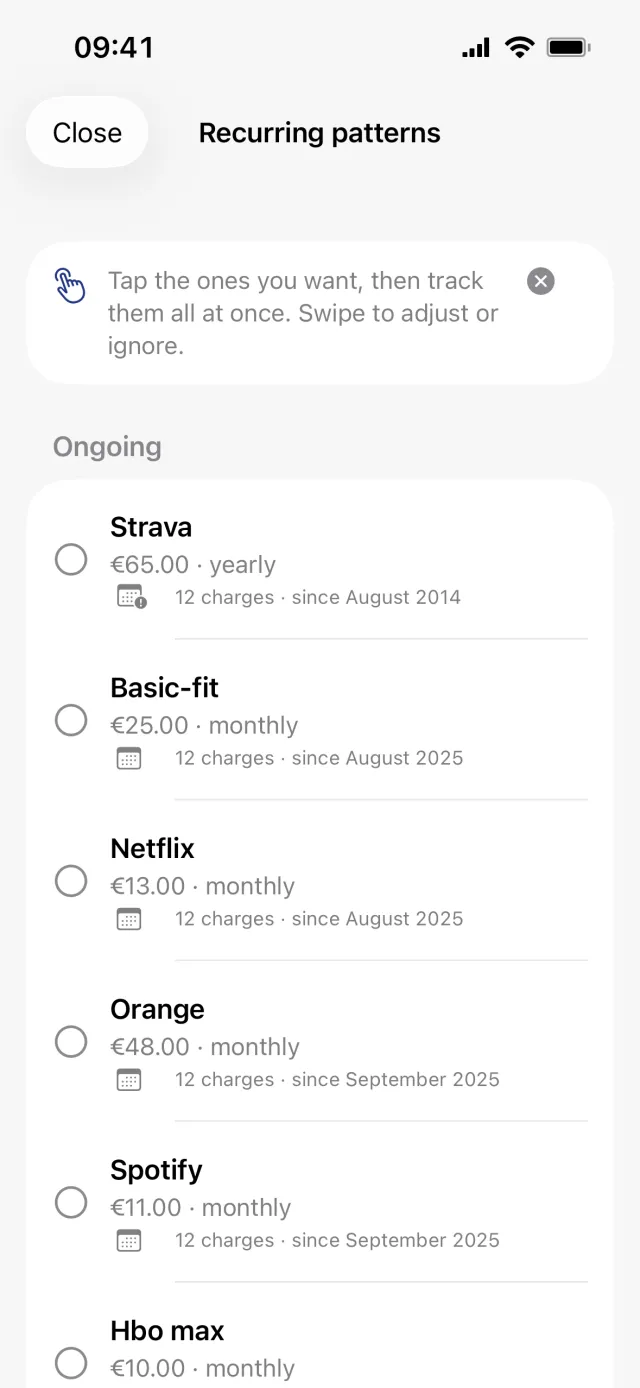
Repeating charges you do not track yet, ready to review 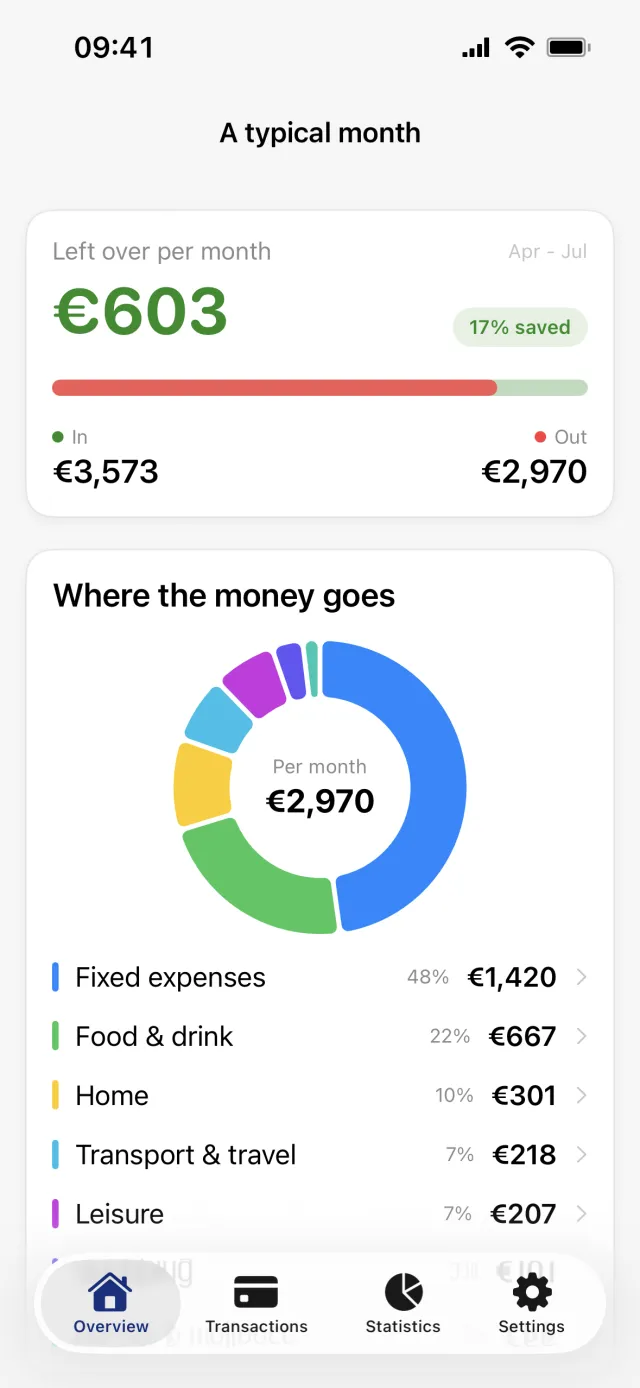
A clearer picture of a typical month - Version 1.22
Alerts you choose yourself
- Choose which alerts you get: large payments, budget limits, subscription price changes, renewal reminders, and weekly or monthly summaries
- Subscriptions now show a clean name and the real logo
- Bug and crash fixes, including the widget and the transaction list
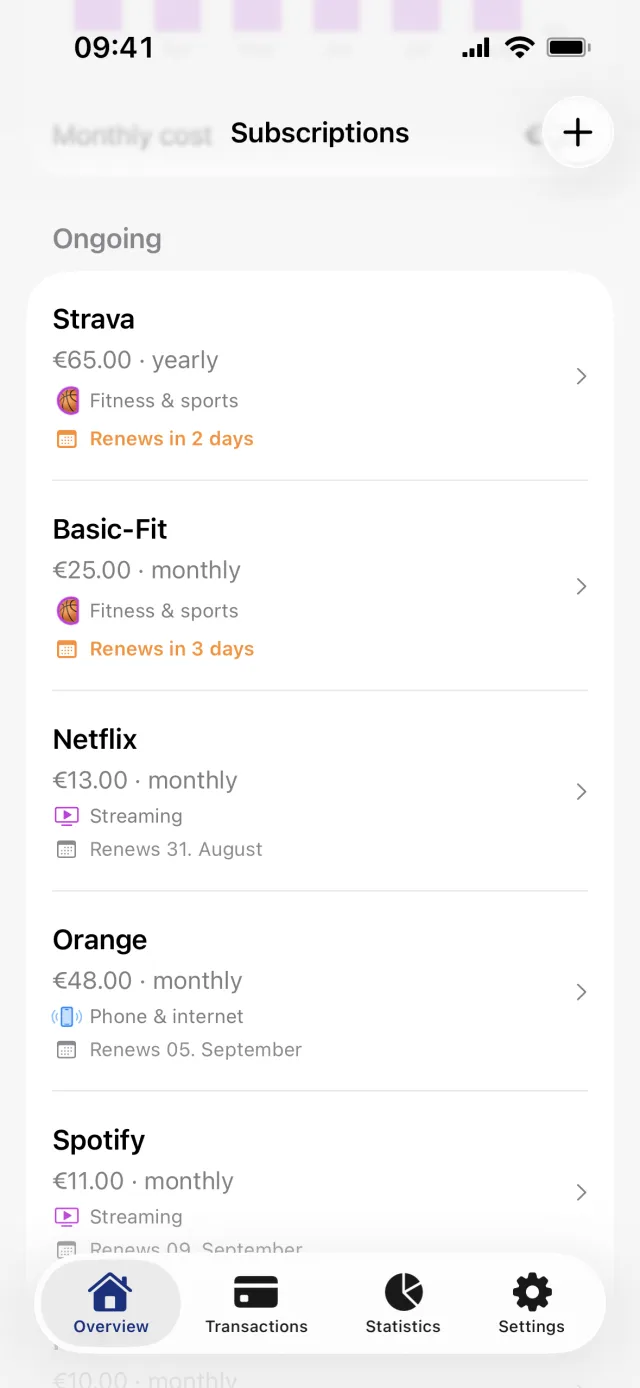
Every subscription with its real name and logo - Version 1.21
A smoother start
- Improved onboarding
- File uploads no longer fail on one unreadable row, and you can open the rows they left out
- Your first sync brings in more history
- The overview opens on this month
- General bug and crash fixes
- Version 1.20
The month in one card
- A typical month, at a glance: what comes in, what goes out, what is left
- Your first budget arrives pre-filled from your own food spending
- File imports now find the right description column
- Archive many transactions at once
- General bug and crash fixes
- Version 1.19
Subscriptions, Siri and widgets
- Penge finds your subscriptions in your history and shows what they cost you every month
- Ask Siri for your balance or your spending, and use Penge in your own automations
- Choose what each widget shows, and categorize straight from the home screen
- Get a notification when your salary arrives
- Various bug fixes
Penge reads your history and names the recurring charges - Version 1.18
Manual balances and a copy of your data
- Set your own balance on manual accounts
- Faster app start and smoother loading
- Download a copy of all your data from settings
- Various bug fixes
- Version 1.17
Balances, spread costs and Google sign-in
- See your bank account balances, synced automatically from your bank
- Spread a transaction's cost across the months it covers for more accurate statistics
- Filter transactions by income or expense
- High-confidence category suggestions now categorize transactions automatically
- Refreshed sign-in screens
- You can now sign in with Google (same email = same user)
- Various bug fixes
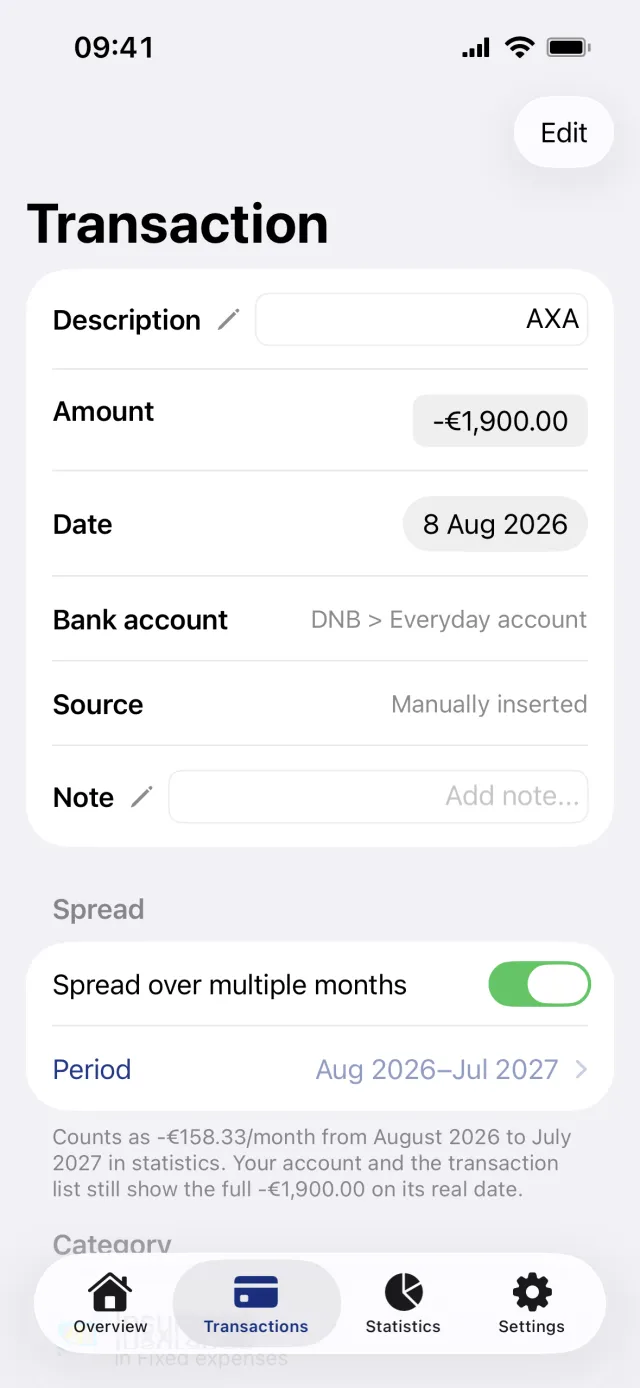
One annual bill, counted month by month - Version 1.16
Linked transactions
- Link transactions together for a better overview and easy navigation between them
- Made it easier to delete a category and move its transactions to another
- Various bug fixes
- Version 1.15
Reserved transactions
- Reserved transactions: see amounts your bank is still holding, before they're finalized
- Smarter matching of transfers between your own accounts
- Various bug fixes
- Version 1.14
A refreshed look
- A refreshed, more consistent look across the app: accounts, budgets, categories and more
- New FAQ screen in Settings with answers to common questions
- Various bug fixes
- Version 1.13
Several currencies, and split transactions
- Multi-currency support: track accounts in any currency
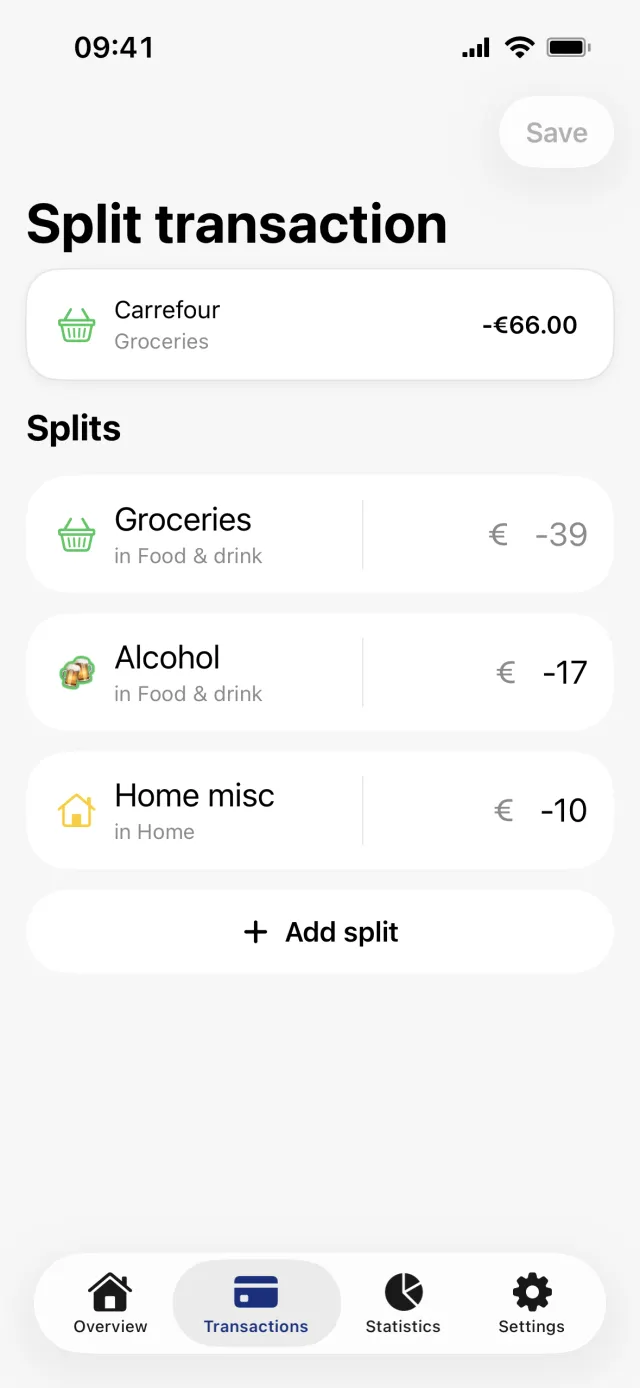
- New ways to split transactions across categories
- Mark any account as a credit card
- More accurate transaction dates (for select banks)
- Sort categories within their group
- Various design refinements and bug fixes
- Version 1.12
Widgets on the home screen
- Penge now has widgets! Budget progress, monthly summary, top categories, and more
- Multi-select transactions for batch categorization and tagging
- Slight improvements to category suggestion quality and performance
- Search for transaction amounts
- Various design improvements and bug fixes
Update Penge to get the latest version.
Download on the App Store