
Connecting your bank: what actually happens

Co-founder of Penge · Published 30 August 2026 · 6 min read
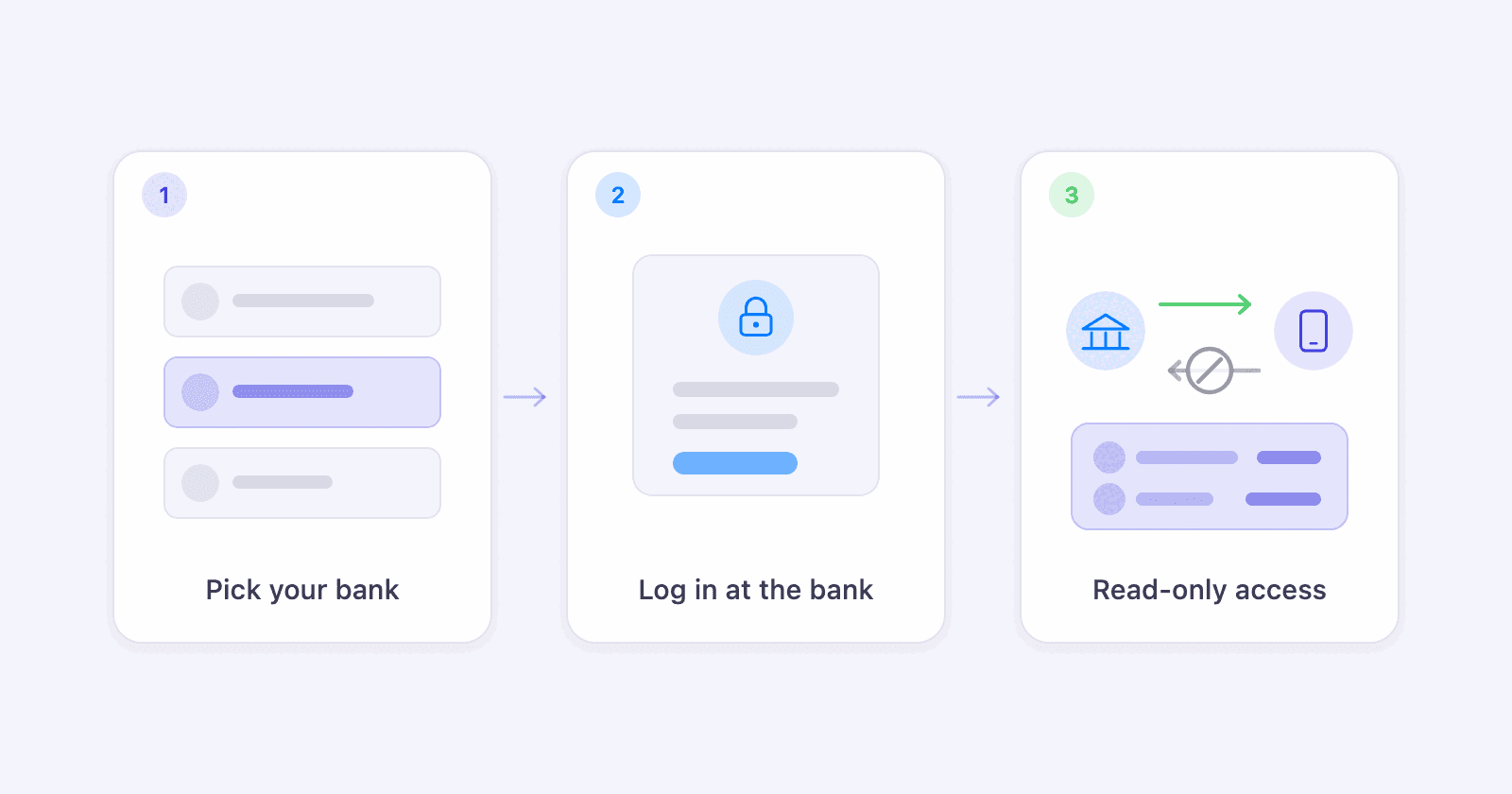
A bank connection is useful only if the right account appears and keeps updating. Penge uses a specific flow for the first sync, renewal and expired access. Knowing that flow also makes it easier to tell a missing account from a connection that needs attention.
Key takeaways
- Penge connects to more than 2300 banks in over 30 countries through GoCardless, a licensed account information provider.
- The first sync includes the current month, and the previous one too when you connect in the first half of a month.
- A bank connection must be renewed every 90 days.
- When a sync detects expired access, Penge marks the account as Previously connected, shows warnings and stops syncing it until you reconnect.
- If a bank or account is unavailable, you can use a manual account and import transactions from PDF, CSV or XLSX files.
Which banks can you connect?
Penge can connect only institutions in its current GoCardless catalogue, which covers more than 2300 banks in over 30 countries. Search for the exact bank before deciding. A listing means Penge can start approval for that institution, but it does not guarantee that every account or card you hold will be returned.
Check the current catalogue for your exact bank. Search the bank list
What happens when you connect?
Penge sends you to the bank approval flow. After approval, GoCardless returns the accounts covered by that consent. Penge creates those accounts, fetches their details and balances, then starts the first transaction sync from the current month, plus the previous month when you connect during the first half of a month.
- You approve access outside Penge through the link returned by GoCardless. Penge does not receive or store your bank login.
- The connection is read-only. The integration reads account details, balances and transactions, and has no payment flow.
- The first sync is not a full archive, and Penge does not request a longer backfill. Older months remain available in your bank's own app and statements.
- After the first sync, new transactions and balances arrive automatically. You do not need to do anything again until the 90-day renewal.
- Penge adds the accounts that the bank returns through GoCardless. A product that is not returned will not appear automatically.
There is more on the permission itself in is Open Banking safe.
When do you need to reconnect?
Penge uses GoCardless's default 90-day access period, so you need to approve the connection again every 90 days. When a sync detects expired access, the app shows a Settings badge, warning icons and the status Previously connected. The bank page says syncing has stopped and gives you a Reconnect accounts button.
The last known balance can remain visible after access expires. Once it is at least two days old, the bank page shows when it was updated. Treat the connection warning as the signal to reconnect, rather than waiting for the number itself to look wrong.
What if the bank or account is missing?
You can still track the account. Create a manual account and import transactions from files; the connected-bank flow is only one of two ways into Penge.
- Search the bank catalogue for the exact institution name. If it is not listed, Penge cannot start a bank approval for it.
- Create a manual bank and account. The starting balance is optional, later transactions update it automatically, and the account is included in your total balance.
- Import the statement as PDF, CSV or XLSX and select the manual account it belongs to. You review extracted PDF transactions, while CSV and XLSX imports let you choose the date, description and amount columns before saving.
- Contact us with the missing institution if you want us to check it.
Cannot find the institution in the catalogue?
Get in touch →Does connecting cost anything?
No. Penge is free and carries no ads, and there is no charge per bank or per account. You can connect several banks, including more than one connection to the same institution, without unlocking a paid tier. The accounts then appear together in the same overview.
Get a full overview with Penge
Connect your bank and let the app categorize and budget automatically.
Frequently asked questions
- Can I connect the same bank more than once?
- Yes. Penge supports several connections to the same institution. Each connection has its own bank approval and can have its own label in the app.
- Can I connect an account I share with someone else?
- Yes, if the bank includes it among the accounts returned after your approval. If the same shared account is connected twice, Penge keeps both rows rather than silently merging them, and you can delete the duplicate.
- Do I lose my history when the access expires?
- No. Transactions Penge has already fetched stay in the app while syncing is paused. Reconnecting starts syncing new transactions again, and nothing already stored is deleted.
- Do all my banks expire at the same time?
- No. Each connection has its own approval, so its own 90-day period. A bank you connected in January and one you connected in March will ask you to renew at different times.