
Banks and accounts
Manage an account: rename, type, delete
Everything you can change about a single account sits on one screen. Most of it is behind the Edit button in the top right corner; the card type and the balance sit on the screen itself.
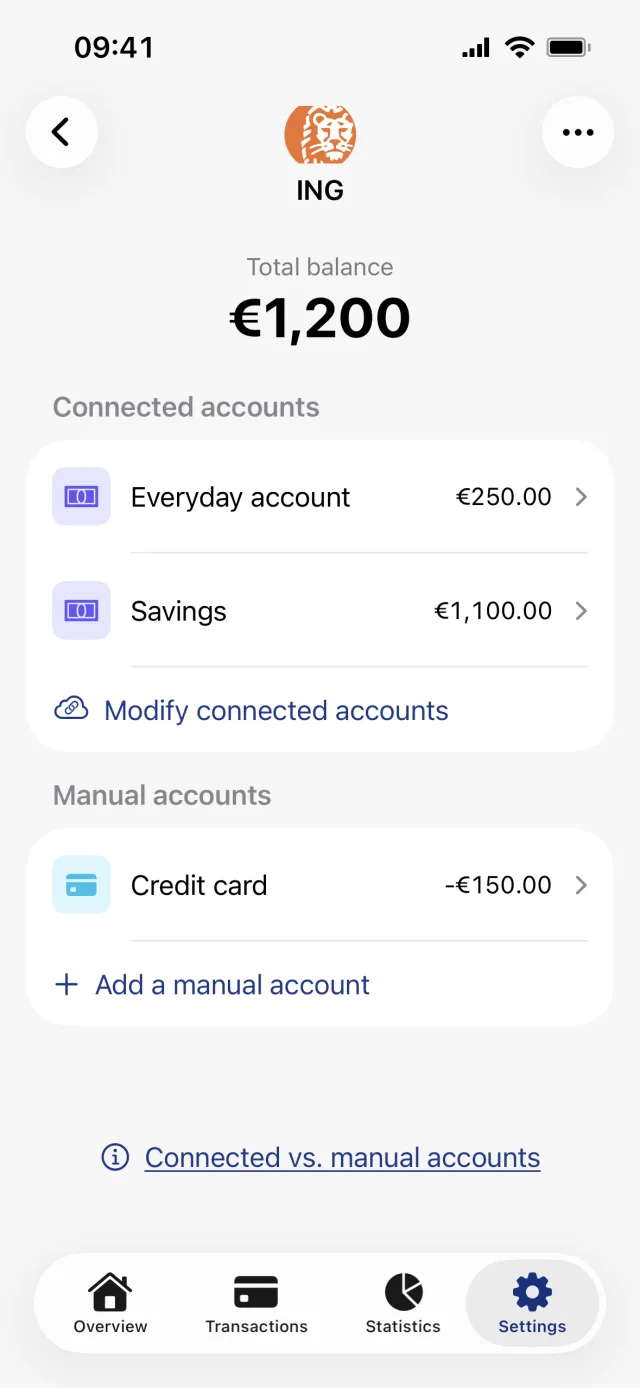
Where do you change an account?
Open the Settings tab, tap Banks and accounts, tap the bank, then tap the account. Rename account, Disconnect account and Delete account live behind the Edit button in the top right. Card type is a picker on the screen itself, right under Account type.
Rename an account
- Open the account: Settings, Banks and accounts, the bank, then the account row.
- Tap Edit in the top right.
- Tap Rename account in the sheet that opens.
- The large name at the top of the screen becomes editable. Type the new one.
- Tap the same toolbar button, which now reads Save.
Renaming works on connected accounts too, and it changes nothing but the name. Syncing carries on as before.
Credit or debit: the Card type picker
Card type has two options: Credit card and Debit account. It decides the icon on the account row, whether its transactions carry a small credit-card marker, and which way a bank-reported balance is signed. The same choice is called Debit card in the sheet where you create a manual account.
The row directly above it is called Account type, and it is not the same thing. It shows the state of the connection: Manual, Connected, Previously connected or Disconnected. You cannot change that row, only read it.
Stop an account from syncing
- Open the account and tap Edit.
- Tap Disconnect account. Its subtitle reads Stop syncing transactions for this account.
- The account leaves every balance total and stops counting as a live connection. Its transactions stay where they are.
The row only appears on accounts that are connected or were connected. To undo it, tap Edit again and then Reconnect account. That only marks the account as ready, so you still have to run the bank login from the bank screen with Reconnect accounts.
Delete an account or a whole bank
- Account: open it, tap Edit, then Delete account.
- Confirm under This action cannot be undone by tapping Confirm deletion.
- Bank: open the bank screen, tap the ellipsis in the top right, then Delete bank.
Good to know
- Deleting an account deletes its transactions and its file imports as well, on your phone and on our server, though the uploaded files themselves stay in Penge's storage. There is no undo.
- Deleting a bank deletes every account under it, connected and manual.
- The bank menu holds only Delete bank. There is no way to rename a bank. The one bank-level label is the connection label, which appears when you have more than one connection to the same institution.
- Every change on these screens needs a network connection. Offline the buttons are disabled.
Can you hide an account from the total?
There is no hide switch and no exclude-from-total setting. Disconnect account is the closest thing: the account drops out of the total balance, out of the bank's own total and out of the Balance widget, while its transactions stay in the list and keep counting in your statistics.
If it is only the widget you want to tidy, the Balance widget lets you pick which accounts it adds up when you edit it on the Home Screen. And if it is a joint account where you only want your share in the statistics, that is the statistics modifier, which does not touch balances at all.
Get a full overview with Penge
Connect your bank and let the app categorize and budget automatically.
Questions about this
- Does renaming an account break the bank connection?
- No. The name is yours to set and is stored with your account in Penge. The connection, the balance and the syncing are untouched, and the bank never sees the new name.
- What is the difference between Account type and Card type?
- Account type is read only and shows the connection: Manual, Connected, Previously connected or Disconnected. Card type is the choice you make, between Credit card and Debit account.
- Can I get a deleted account back?
- No. Connecting the bank again creates the account fresh and empty, and the first sync covers the current month, plus the previous one when you connect during the first half of a month.
- Does a disconnected account still show in statistics?
- Yes. Its transactions stay in the list and keep counting in statistics and budgets. Only the balance totals leave it out.