
Getting started
When your bank will not connect
Not every bank can be connected, and a connection can fail for reasons that have nothing to do with you. A manual bank plus a statement file gets the same transactions into Penge by hand.
What can you do when a bank will not connect?
Check the country picker and the search first, because the list shows one country at a time. If the bank really is missing, add it as a manual bank, give that bank a manual account, and import your statement as a PDF, CSV or Excel file. Manual accounts never sync on their own.
Check the country and the search first
- In Settings, open Banks and accounts, then Add another bank.
- Tap the flag button in the top right and pick a country. Popular countries means countries with at least one bank you can connect to; Other countries is every remaining one, including those Penge can never reach.
- Type the name into Search for bank. A search that matches nothing gives no warning; you just get the Add manual bank row with whatever you typed, so check the spelling before you use it. If the country itself has no banks, you get No banks found and a Change country button.
The same catalogue is searchable here on the web. Search the bank list
Add a manual bank and account
- On the Add bank screen, type the bank's name. A section headed Add manual bank appears at the top of the results, carrying the name you typed; tap that row. The plus button in the top right opens the same thing as a sheet, with a Bank name field and an Add button.
- On the bank's screen, find the Manual accounts section and tap Add a manual account.
- Give it an Account name and choose Debit card or Credit card under Account Type.
- Balance is optional. Fill in what the account holds right now if you want your totals to be right. Tap Save.
Good to know
- A manual bank stays manual. It cannot be upgraded to a connected one later, and the connect row on its screen does nothing.
- The balance you type is an anchor, not a live figure. Only transactions dated after the moment you saved it move the number, so anything you backdate leaves it alone.
- Amounts are recorded in your primary currency wherever you type them. There is no currency picker on a manual account or on an import.
- A manual credit card keeps whatever sign you type. Enter what you owe as a negative amount, or it counts as money you have.
- All of this needs a connection. Offline the buttons do nothing and say nothing.
Import a statement
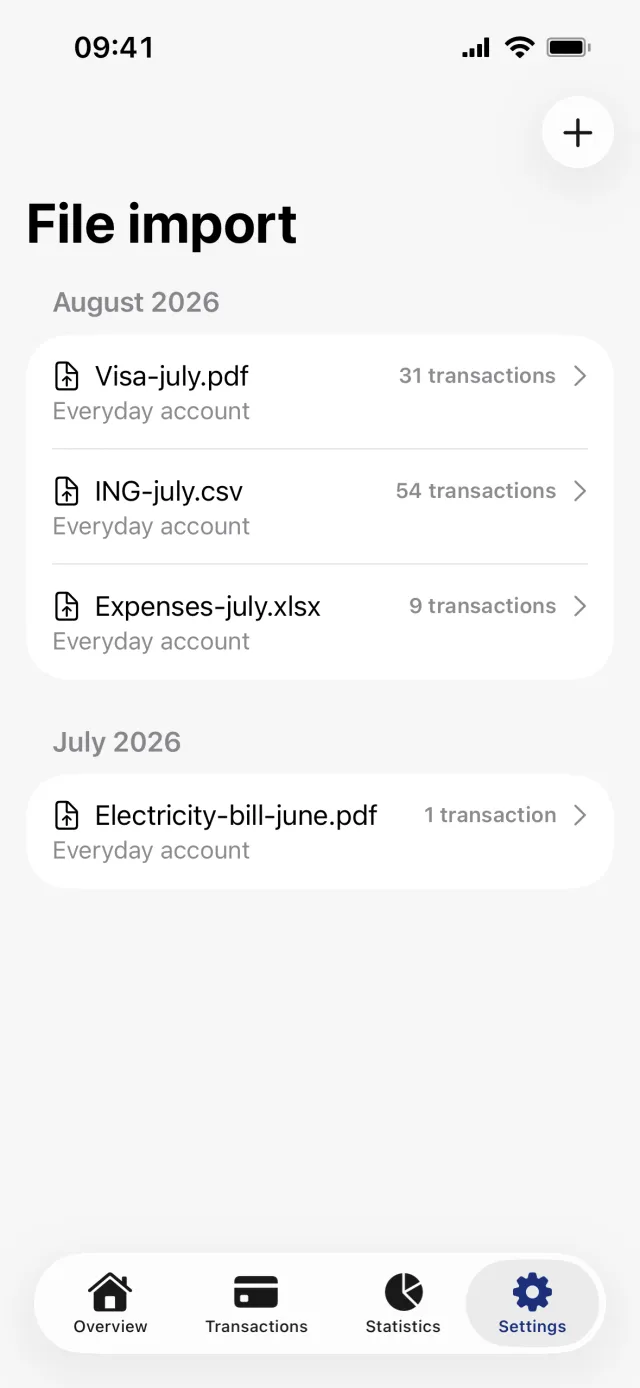
- Open the manual account, find the File import section and tap Upload transactions from file. The line under it lists what is accepted: .csv, .pdf and .xlsx.
- Pick the file. A PDF brings up the sheet We use ChatGPT to parse PDF files, which appears on every upload; tap Continue. CSV and Excel files go straight to the preview.
- Choose where the rows land under Bank account, the first section on the preview screen.
- For CSV and Excel, check the Columns section below it. Penge guesses which column is the Date, the Description, the Amount and an optional Note, and you tap a row to change it.
- Turn on Invert amounts if money in and money out came out the wrong way round.
- Read through the Preview list, then tap Save.
Good to know
- One file at a time, and exactly .pdf, .csv and .xlsx. Not .xls, and not OFX, QIF or CAMT. Only the first sheet of an Excel workbook is read.
- A PDF is read by ChatGPT, and it does sometimes drop a row without saying so. Count the rows in the preview against your statement before you save.
- CSV and Excel files are not sent to ChatGPT, but every file you upload is stored on Penge's server and turns up in your data export.
- You can import into a bank-connected account. Penge warns that it may create duplicates and then lets you do it. Nothing is merged afterwards.
- Deleting an import from File import also deletes every transaction that came from it.
- Imported transactions are categorized like connected ones: a rule can set the category outright, and anything else arrives with a suggestion from your own history.
Missing a bank you think we should support?
Tell us which one →Get a full overview with Penge
Connect your bank and let the app categorize and budget automatically.
Questions about this
- Can a manual bank become a connected bank later?
- No. If the bank turns up in the catalogue, connect it as a new bank and keep the manual one beside it, or delete the manual one. Deleting a bank deletes its accounts and their transactions.
- Why are some rows missing after an import?
- Rows with an unreadable date or an unusable amount are dropped, and a PDF read by ChatGPT can lose one silently. The preview is the last place to catch it, so count the rows there.
- Can the dates be read the wrong way round?
- They can. Penge picks the date format that fits most rows in the file, so a day-first file can be read as month-first with no warning. Check the sample values under the Date column before saving.
- Can I add a single transaction instead?
- Yes. A manual account has an Add transaction manually row at the bottom of its Recent transactions section, with the account already filled in.